
Lesson
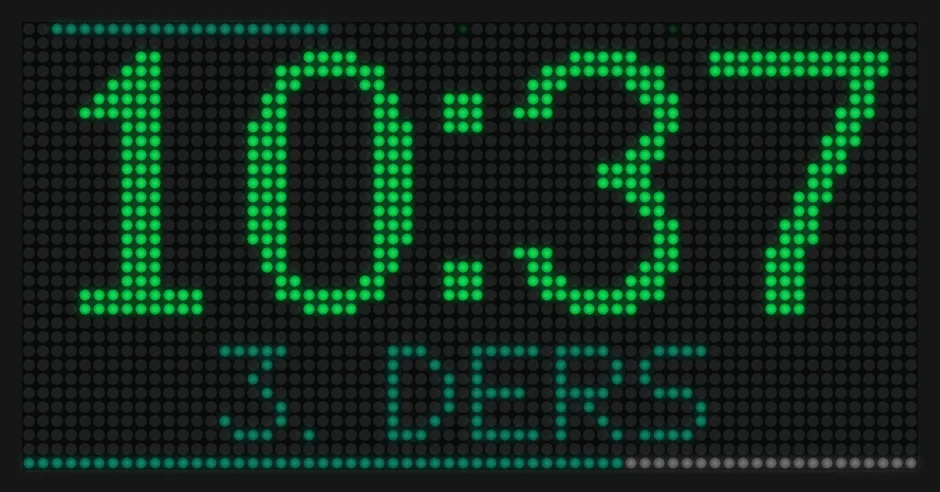
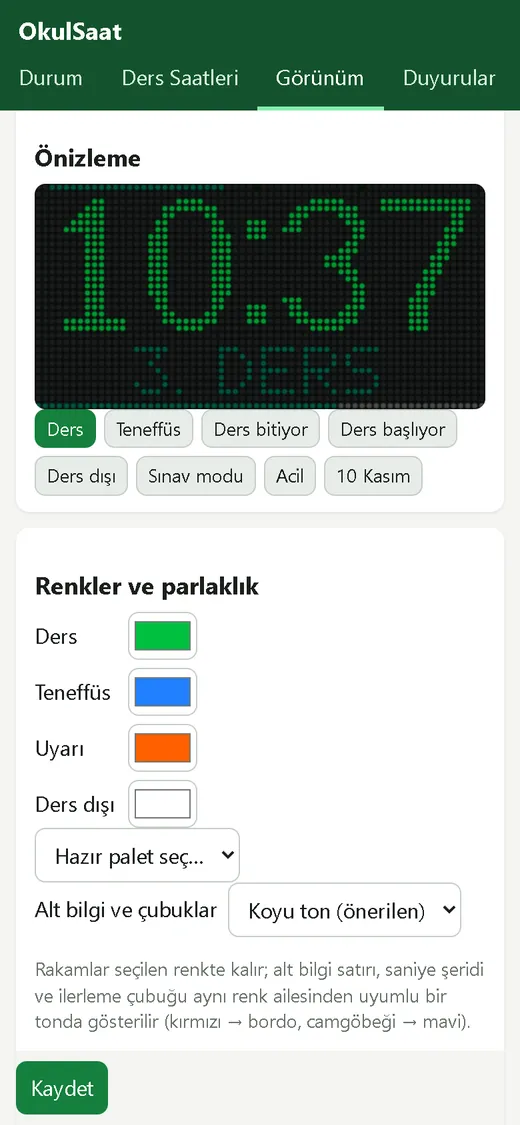
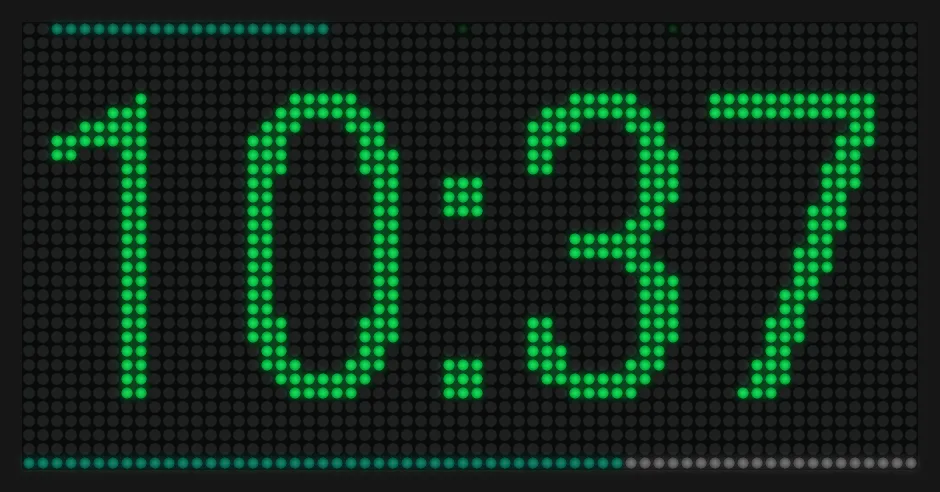
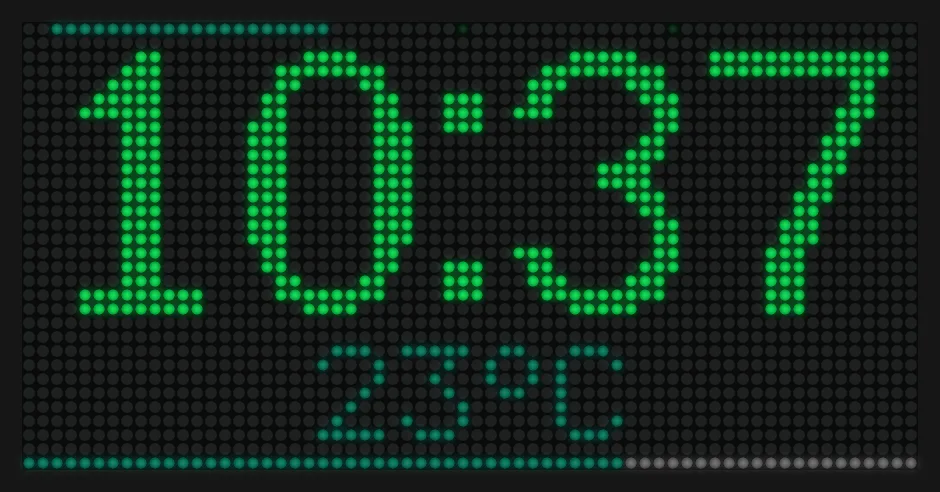
Green digits. The bottom row shows which lesson it is; a thin bar at the very bottom shows how much of the lesson has passed.
OkulSaat is a set of large LED clocks mounted in school corridors. Lessons, breaks and the end of class are announced not by a bell but by colours that change at the same moment everywhere in the school.
Drawn by the real clock firmware; time is sped up for the demo. On-screen texts are the clock's Turkish output.
A school day
Learning the colours takes a single day. Green means lesson, blue means break, orange means "almost time". The clock's bottom row cycles through the lesson name, the time remaining, the temperature and the date.
Green digits. The bottom row shows which lesson it is; a thin bar at the very bottom shows how much of the lesson has passed.
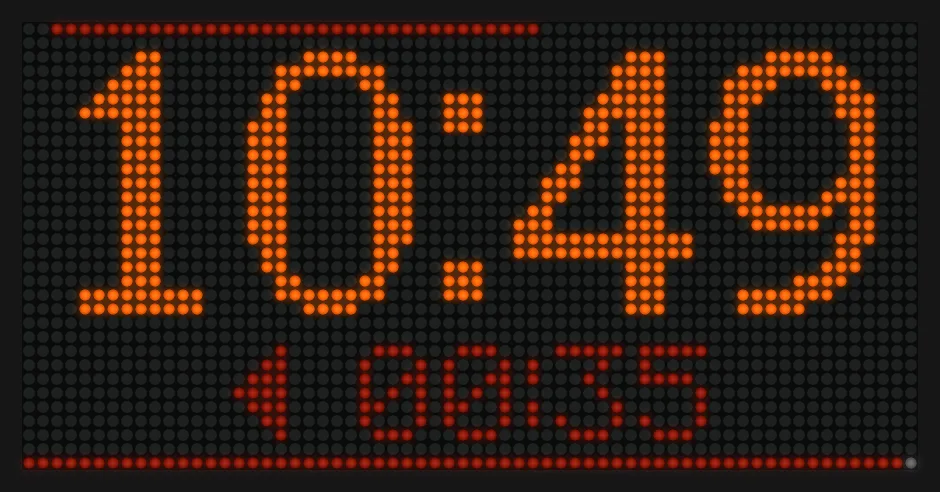
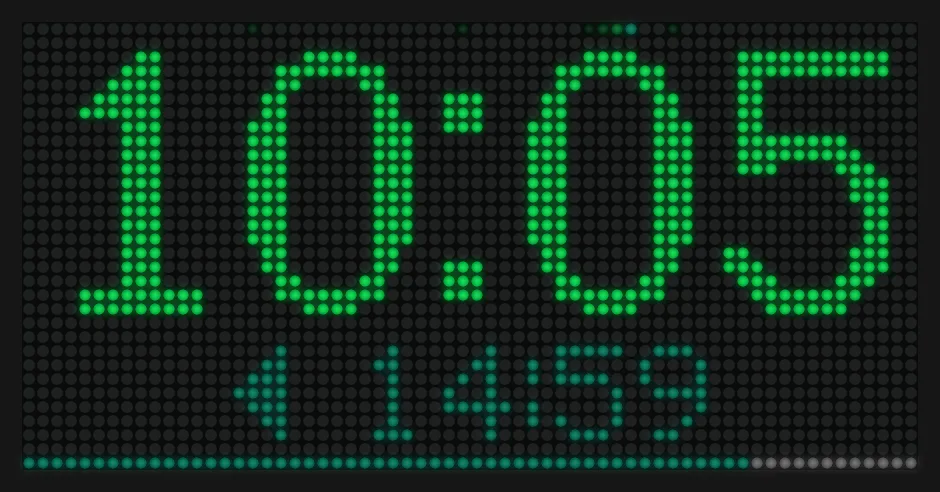
In the last minute the clock turns orange and gently pulses. The bottom row counts down second by second.
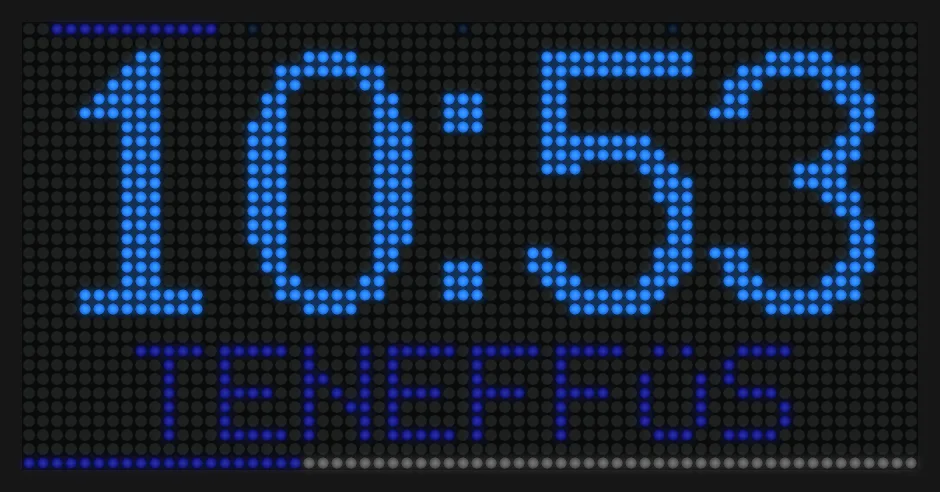
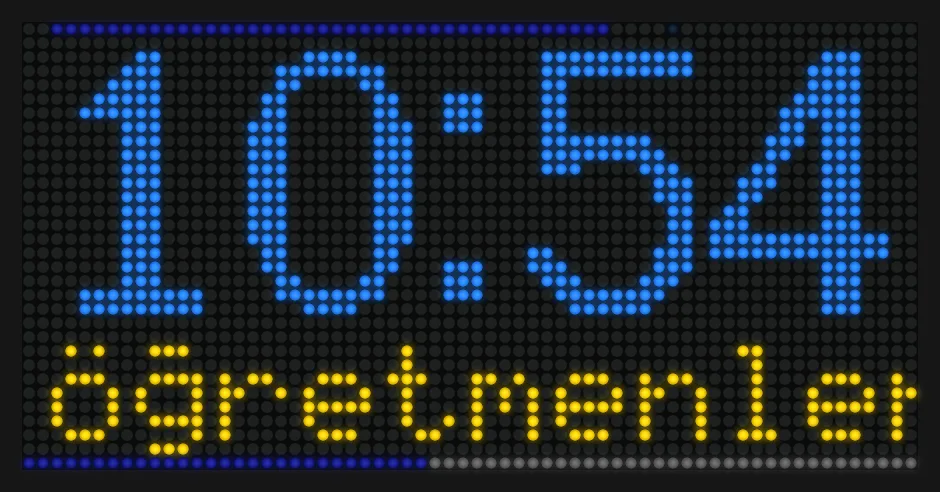
The clock turns blue. During breaks and lunch, school announcements scroll along the bottom row.
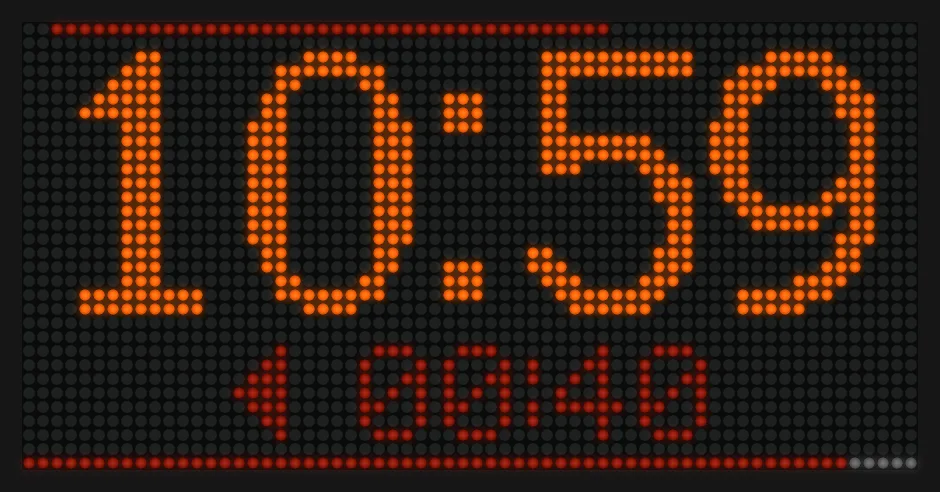
In the last minute of the break the orange warning returns. That is when students start walking to class.
Sample timetable: 40-minute lessons, 10-minute breaks, a 45-minute lunch after lesson 5. The line marks the moment shown on the clock above.
Why bell-free?
The bell that rings dozens of times a day is gone. Neither the teacher mid-lesson nor the student mid-exam is startled.
Instead of relying on the bell they learn to read the clock. The remaining time is always visible, so there are no surprises.
All clocks are fed by the same main unit. There is not a second's difference between a corridor clock and the one in the gym.
The "lesson ending" warning can be switched off in the staff room. Corridor clocks and classroom or office clocks are configured separately.
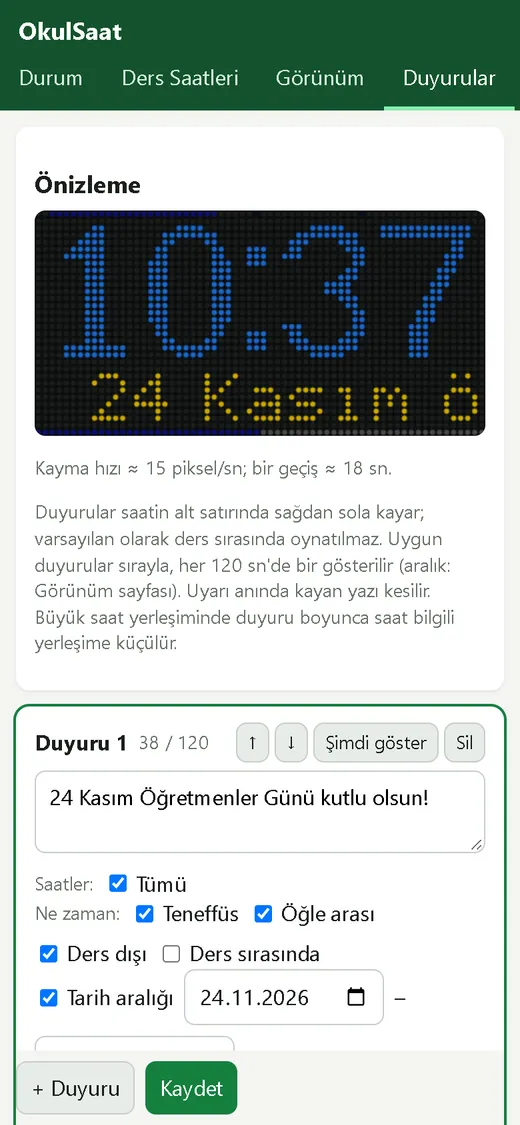
Parents' evenings, events, celebration messages… Announcements scroll during breaks and never distract during lessons.
Schools that are not ready can keep the existing bell for a while, ringing only at the start and end of the day. OkulSaat can control that bell too.
Wireless, wide coverage
A school has a single main unit. It sends the time, the timetable and the settings to every clock wirelessly. No school internet, no Wi-Fi network and no extra cabling are needed.
For floors far from the main unit, the repeater function of a well-placed clock is switched on with one tap in the management panel. That clock passes the signal on to the clocks behind it. No extra device needed.
For places like the gym, an annex or a basement, a small repeater box without a display is used. Clocks and boxes together, up to 8 repeaters work in one school.
If the signal is lost for a while, the clock keeps counting on its own and still switches to the next lesson on time. It resynchronises automatically when the link returns.
Management panel
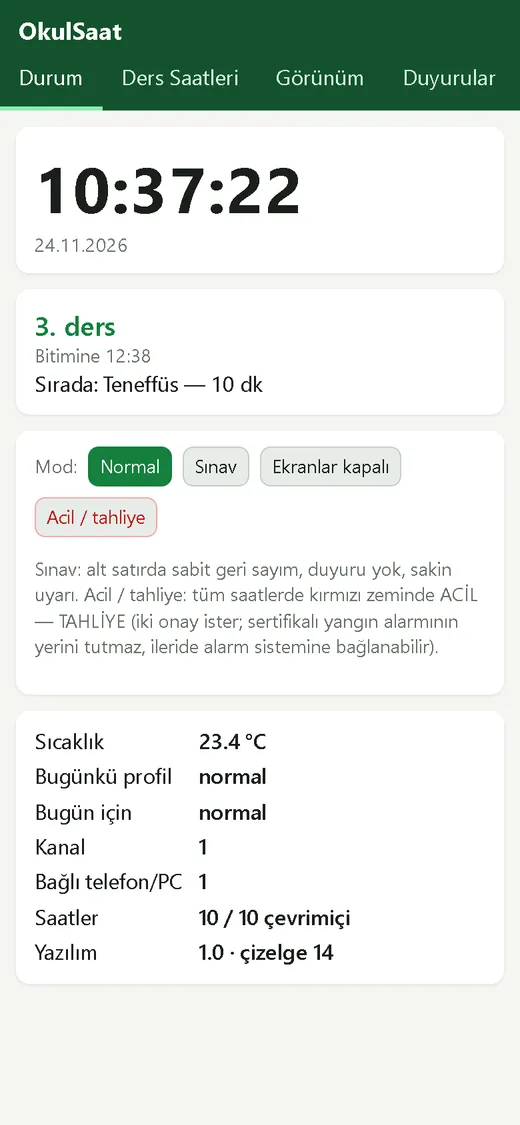
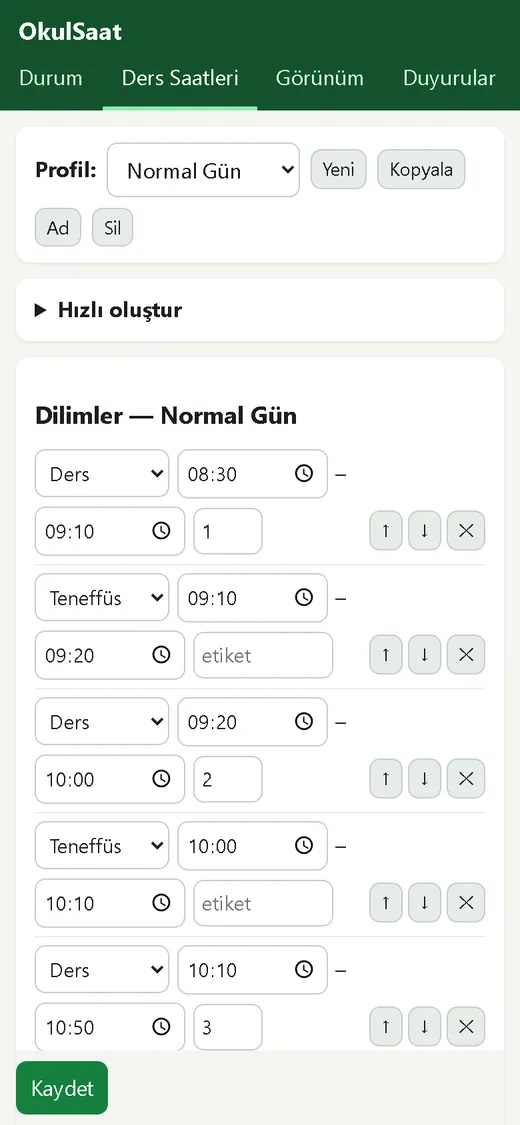
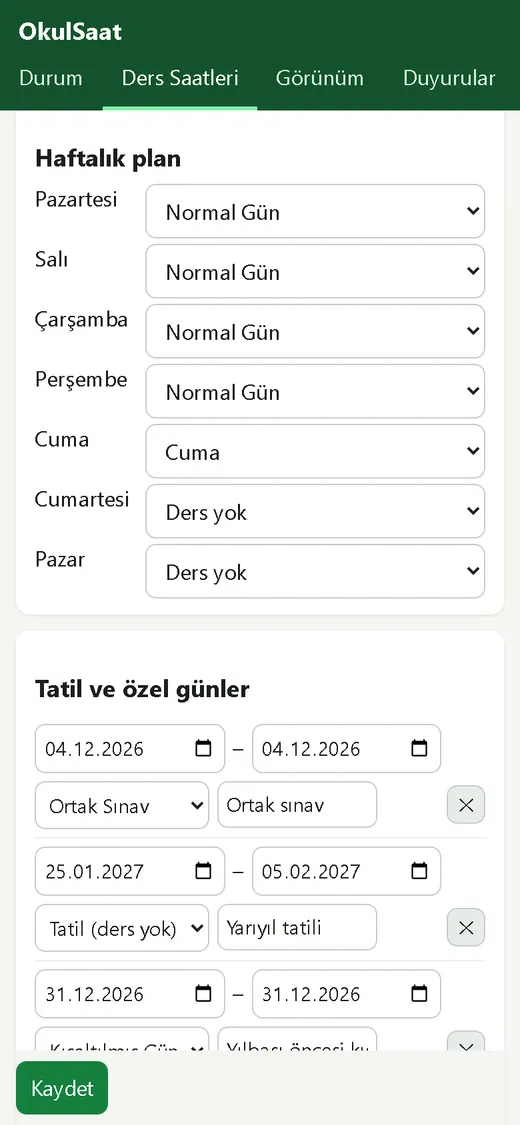
The deputy head connects a phone to the main unit's wireless network and opens the browser. Timetable, colour and announcement changes reach every clock the moment they are saved. The panel is password-protected and needs no internet. (The panel interface is in Turkish.)
Features
Normal day, Friday, exam day, shortened day. With double-shift schooling, morning and afternoon shifts sit in the same timetable.
Mid-term breaks, semester holidays and common exam days are entered in advance. When the day comes, the clocks switch to the right timetable on their own.
The assembly ran long or there was a drill: the remaining lessons can be shifted by a few minutes, or the day can be treated as a holiday. The normal timetable returns the next day.
Corridors, staff room and gym are configured as separate groups. Full-screen large digits for places read from a distance.
Scrolling announcements with full Turkish characters. A commemoration screen on every clock at 09:05 on 10 November.
Displays switch off after set hours and at weekends. The screens stay dark while the school is empty, wasting no energy.
During exams the clocks calm down: no scrolling announcements, the bottom row shows only the time left in the session.
After a two-step confirmation every clock shows "ACİL – TAHLİYE" (emergency – evacuate) on a red background. It supports, but does not replace, a certified fire alarm system.
For students who find colours hard to tell apart, warnings are also given by countdown and progress bar. No effect flashes more than twice per second.
During installation the clocks are paired with the school's main unit. They ignore spoofed commands sent from any other device.
The main unit keeps time on battery backup and settings are written safely to non-volatile memory. When power returns, the clocks show the right time within seconds.
With an optional connection, the school bell can ring only at selected moments, for example at the start and end of the day.
Screens
The images below were produced with the clock firmware's own drawing rules. This is exactly how they look on the 64×32-dot LED panel.
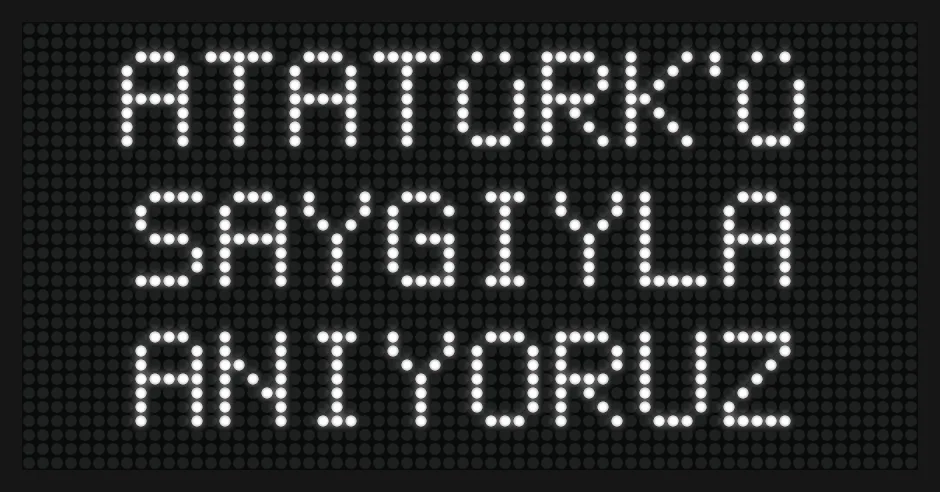
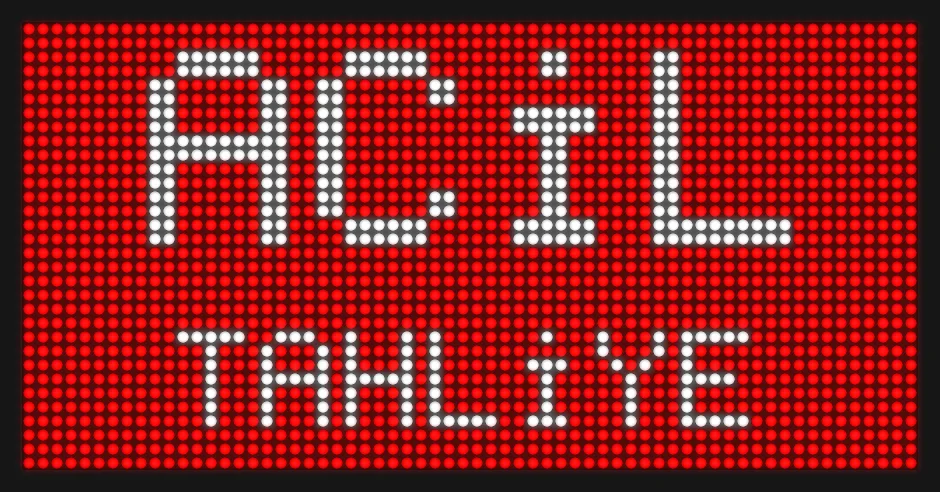
The emergency screen visually supports an evacuation; it does not replace a certified fire alarm and public address system.
In short
FAQ
No. OkulSaat sets up its own wireless link. It does not touch the school network and keeps working even when the internet is down.
The clocks only need a power socket. There is no data cable between the clocks and the main unit.
For distant areas, the repeater function of a well-placed clock is switched on. Separate buildings use a screenless repeater box. The panel shows which clock has a weak signal and which clock is a good repeater candidate.
The clocks keep counting time on their own and end the current lesson correctly. When the main unit comes back on, they resynchronise automatically. If the main unit is replaced, the backup file is loaded onto the new one — the clocks need no attention.
No. During the transition, the existing bell can keep ringing at selected moments, for example at the start and end of the day.
An authorised person logs in to the management panel from their phone with a password. A week's timetable takes a few minutes to enter; changes reach every clock as soon as they are saved.
For your school
Together we will work out how many clocks and repeaters your school needs based on its floors and buildings. Dijitalpark Elektronik handles installation and the initial setup.